Palabra LiveDawidWeb

Invite-only pilot · 100 minutes to start

Sort out that call to the bank, a public office or the doctor — in Polish. They hear German.

You call and speak Polish, same as always. The other side answers an ordinary phone, installs nothing, and hears your words in German.

This page describes the Polish–German pilot; English UI is available.

You need an access code from DawidWeb to start the app.

Android 8.0 or newer · installed from an APK file · not on Google Play yet. How it works

Version 0.12.26 · 43,9 MB · SHA-256 bd2268c44fcc · Android 8+

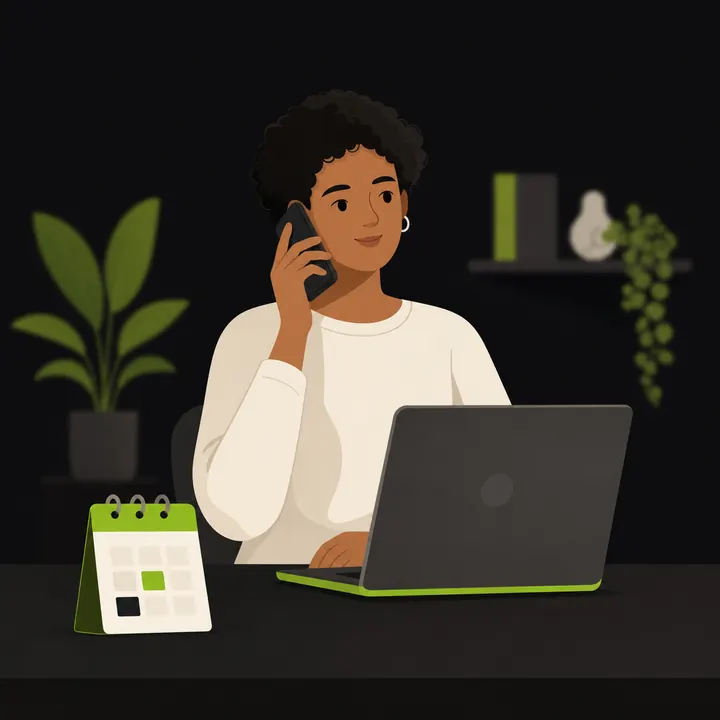
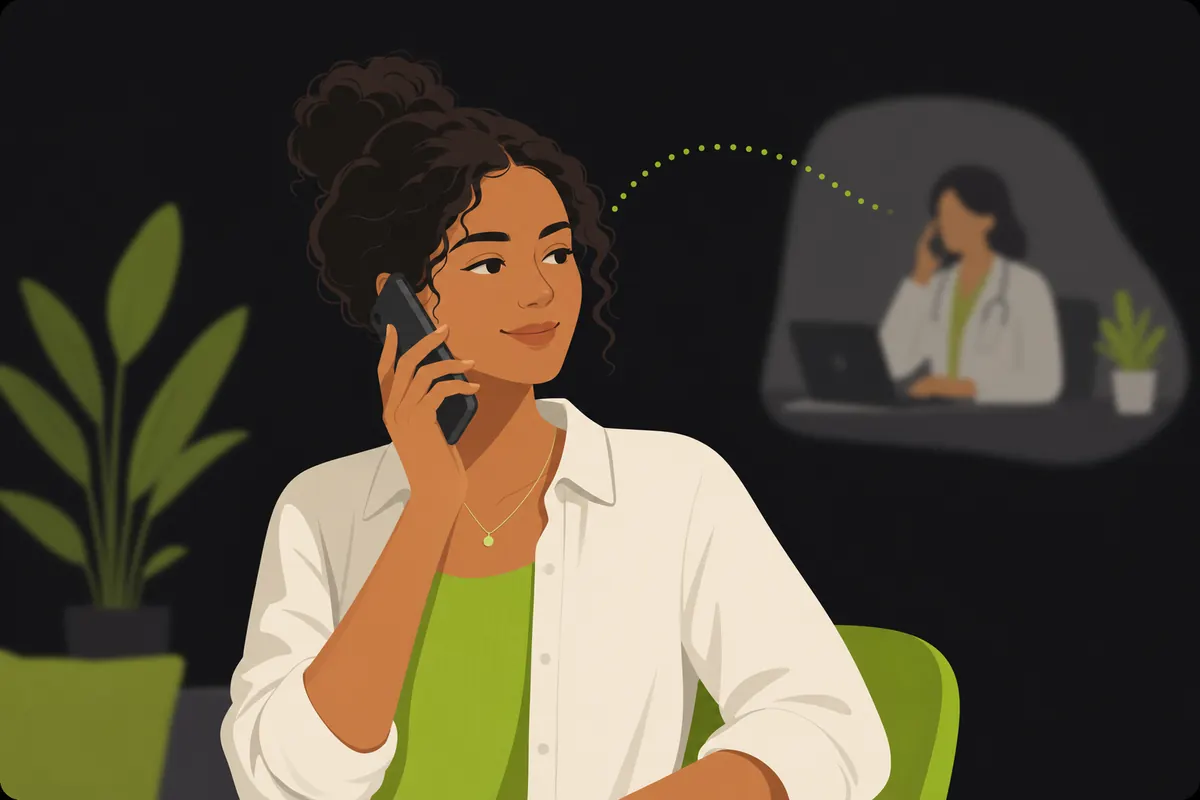
Illustration: a person makes a phone call while Palabra Live translates the conversation live
  • No app on the other end
  • No call recordings
  • 4 languages: Polish, German, English, Ukrainian
  • Made in Poland by DawidWeb

Getting started in 3 steps: code → APK → activation

  1. Request an access code

    One click opens an e-mail with the subject already filled in. We reply on working days.

  2. Download the APK file

    The app is not on Google Play, so you install it from a file. Your phone will ask you to allow the browser you download with.

  3. Enter the code and call

    On first launch you enter the code, choose the language pair and make a call.

My voice in translated conversations

Set up your own voice on your phone and hear how it sounds in translation.

  1. Record a sample

    In “My voice”, record 30–60 seconds of your own speech in a quiet place, or choose a file from your phone.

  2. Listen to the result

    Check the recording first. Once the voice is created, listen to a translated sample before selecting it.

  3. Use it in a conversation

    Choose “Use my voice”. The app sets Fast mode, and the other person hears the translation of your words in your selected voice.

This feature requires your consent. You can delete the created voice in the app at any time.

Who it is for

Three situations where the phone stops being a problem

Palabra Live was built for people who live, work or run a business in a country whose language they do not speak comfortably on the phone.

You live in Germany and speak Polish

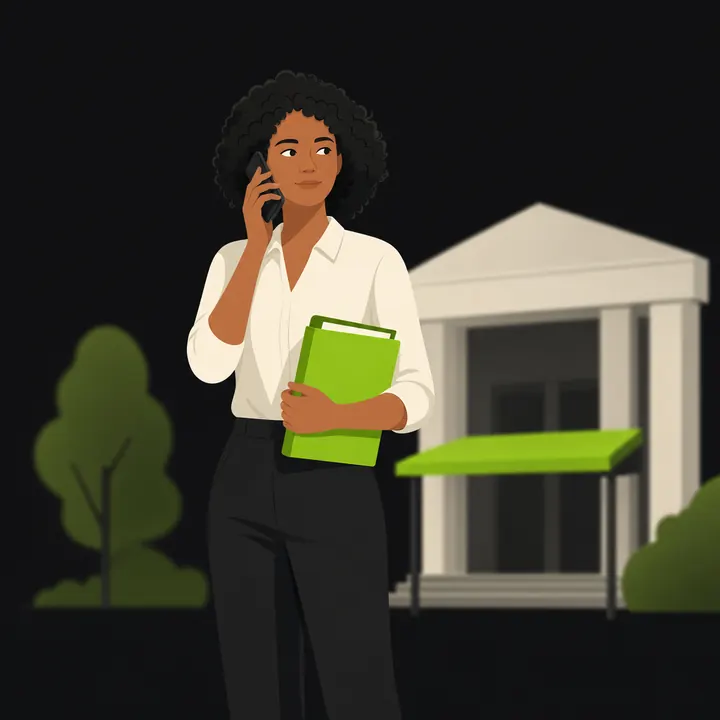
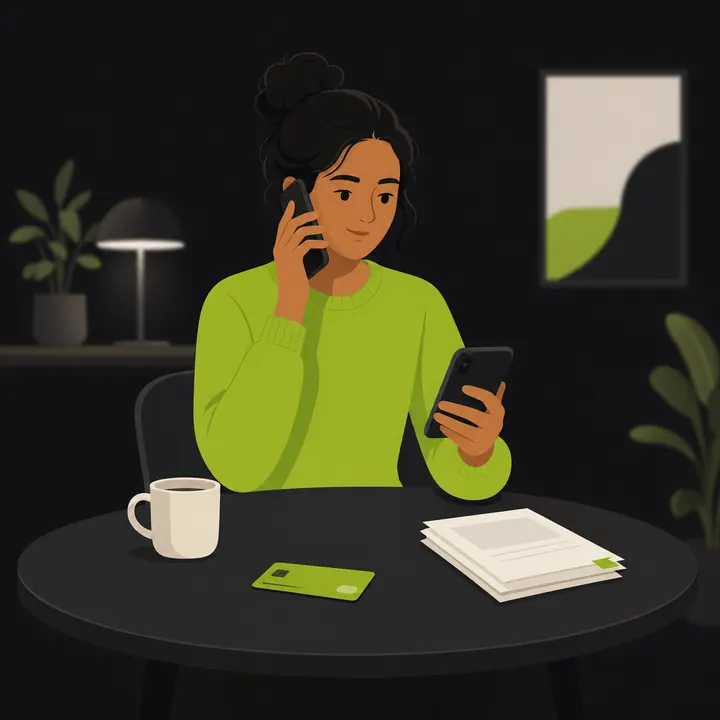
Public office, clinic, bank, insurer, landlord. You call yourself, whenever it suits you — without asking friends for help and without waiting for an interpreter slot.

  • You speak Polish, the other person hears German
  • Dates, amounts and medicine names appear written on the screen
  • Works face to face too, on a single phone
You are from Ukraine and live in Poland or Germany

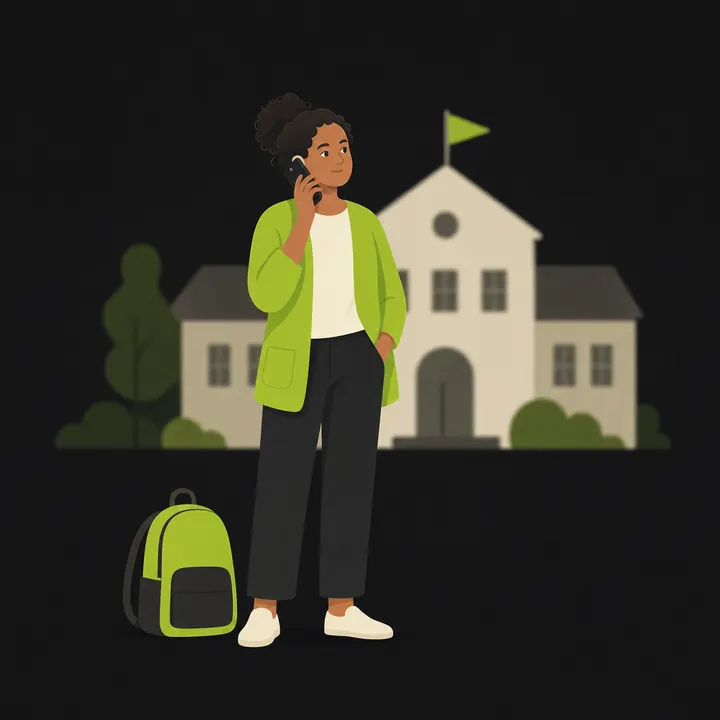
Pair Ukrainian with Polish or with German, both ways. The same app works at the office, at your child's school and in a conversation with your employer.

  • Ukrainian ↔ Polish and Ukrainian ↔ German
  • The whole app and this page are available in Ukrainian
  • Swap the direction of translation with one tap

You serve customers or staff from abroad

Workshop, office, practice, building firm. A short call instead of a chain of e-mails and a booked interpreter — and the other person installs nothing and creates no account.

  • The customer answers an ordinary phone and installs nothing
  • A summary of the call on screen right after you hang up
  • A shared pool of minutes for the team — in preparation

How it works

How it works

Three steps. Nothing to set up in advance, nothing to arrange with the other person.

Diagram: the caller's phone, translation in the cloud and the other person's phone
  1. Pick the languages

    Yours and theirs. One tap swaps the direction without leaving the call screen.

  2. Type a number, or put the phone between you

    For a phone call, enter the number with its country code. For an in-person talk, one phone on the table is enough.

  3. Speak, then tap who is speaking now

    In person you tap the current speaker and the phone translates in turn. Each person hears the translation in their own language.

You call from the app; the other person answers an ordinary phone call. You need an internet connection on your side. The default announcement explains the translation; in settings, you can choose to tell the other person yourself.

Measured, not promised

How long before the other person hears the translation

These are numbers from our own measurement rig, not rounded slogans. We also name the direction in which we do worse.

199msTo the first sound (PL → DE)From the end of the sentence to the first sound of translation in this test.
211msSpeech to speech, median (PL → DE)The middle result out of five sentences. Five sentences out of five got a reply, with no audio gap above 300 ms.
554msSpeech to speech, slowest sentence (p95)Even the slowest sentence in the series stayed under one second.
804msTo the first sound (DE → PL)In this test, German into Polish was slower: median 1.08 s (DE→PL, 6 September 2026). This is not a promise for every conversation.

How we measure: translation starts mid-sentence (PL→DE) or up to about 1 second after the sentence ends (DE→PL). Measured 5–6 September 2026 on a home network, with a control recording of five sentences played through exactly the same path as a real call. Time to the first sound is counted from the end of the utterance, not from the moment you start speaking. The result depends on the network, on the language pair and on how you speak — so treat these numbers as a reference point, not as a promise for every call.

Invite-only pilot: the access code first, then the APK file.

What you can get done

Six everyday situations where a shared language is usually missing.

Clinic and doctor

You book an appointment and ask about test results — you speak Polish, the doctor hears German. The appointment time and the medicine name appear on screen for you to check.

Public office

You handle a case, set a date and ask which documents are missing. The clerk gives the case name and date in German, and you see them written in Polish on screen.

Bank and insurer

You give an account or policy number, file a complaint, ask about a payout. Numbers and amounts appear on screen for you to check before you confirm them.

Landlord

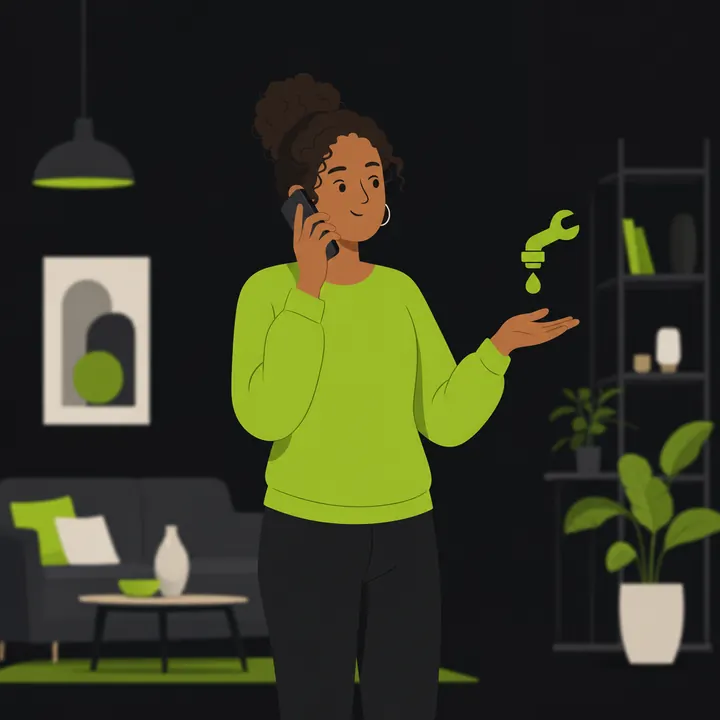
You report a repair, ask when it will be fixed, or sort out a rent question. You speak Polish, the landlord hears German, without installing anything.

Your child's school

You talk to a teacher or the school office about progress, an absence or a trip. Agreements and dates appear on screen right after the call.

Employer

You ask about a shift schedule, a contract change or your pay, without asking a colleague to translate. Key details — dates, amounts, names — are shown separately on screen.

Comparison

One errand at a public office — without Palabra and with Palabra

The same task: book an appointment and ask which documents are missing.

Diagram: the path to getting something done without the app and with the app

Without Palabra

  1. You look for someone to call on your behalf and fit yourself around their free time.
  2. You write an e-mail and wait for a reply, because you cannot settle it on the phone.
  3. The matter slips by days or weeks and you have no idea where it stands.
  4. What was agreed stays in someone else's head — you have nothing written down.

With Palabra

  1. You pick the language pair and call yourself, while the office is open.
  2. You speak Polish, the clerk hears German and answers normally.
  3. The appointment and the list of documents appear on screen during the call.
  4. After the call you are left with a summary: what was agreed and what comes next.

Two modes

Mode 1

Phone call

You call over the ordinary phone network. The office, doctor, garage or client picks up like on any other call and hears your words translated, spoken by a natural synthetic voice. You hear their reply in your own language.

Incoming calls are not yet generally available in the app. The current caller number cannot be used to call you back in the app.

Mode 2

In person, on one phone

No number, no call. The phone lies between you and you tap who is speaking. At the doctor, at school, at the office, at work.

Why it works in a real conversation

Specific things, not promises.

  • The other person installs nothing — They answer an ordinary phone call, without signing in or downloading any app.
  • Cost shown up front — You see the price per minute before the call, with no extra charges during it.
  • A mode that saves nothing — You can turn on a "save nothing" mode — the translated text is not kept anywhere after the call.
  • Works with the screen off — You carry on the call normally; the phone can sit in your pocket and stay connected to Bluetooth headphones.
  • You can cut off the translator — You can start speaking yourself at any moment, without waiting for the translation to finish.
  • If translation fails, the minutes come back — If the call drops or translation stops working, we credit the charged time back to your pool of minutes.
  • A dedicated number for a company in Germany — In company settings you choose an available German number. The first number is included in the plan and provider prices are not shown. Activation follows the operator's review of the company details and document.

Real screens

This is what the app looks like inside

Screenshots from version 0.10.0, straight from the phone — nothing is redrawn or polished. The numbers on screen are example numbers.

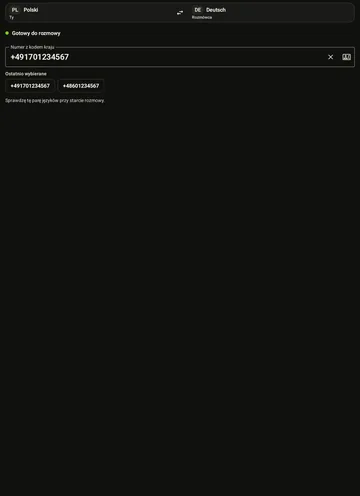
Screen before a call: Polish–German language pair, number field and call button
Before you callLanguage pair at the top, number with country code, recently dialled numbers and one large button.
Screen during a phone call with live translation
During the callDuration and cost at the top, below it what you said and what the other person answered — in both languages.
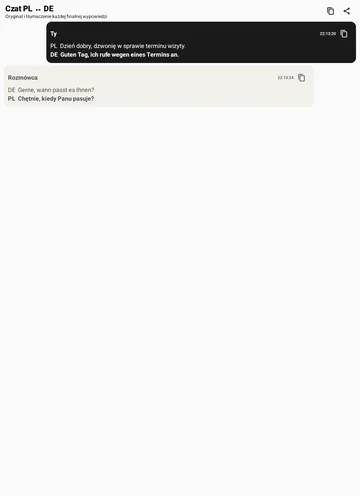
Screen with the conversation written out sentence by sentence
Written on screenDates, amounts and names are there to read instead of asking for a repeat.
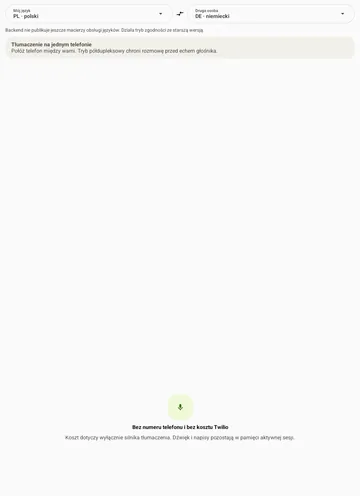
Face-to-face mode screen before translation starts
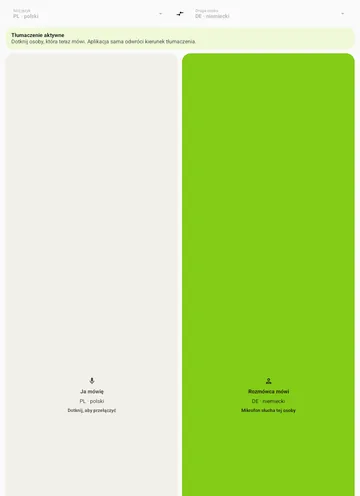
Face to face — startNo number and no connection. You pick two languages and put the phone on the table.
Face-to-face mode screen: two panels, the speaker's panel highlighted
Face to face — in progressYou tap the half of the screen belonging to whoever is speaking. The app reverses the direction of translation by itself.
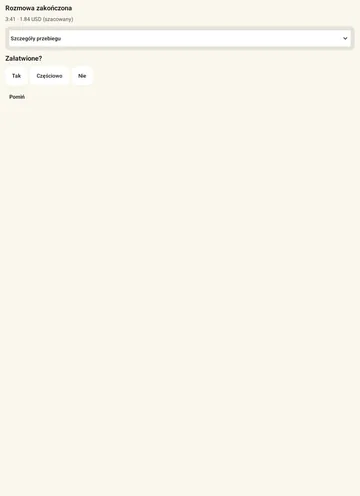
Screen after the call asking whether the matter was settled
After the callDuration, estimated cost and one question: was the matter settled? A fuller call summary is in preparation.

Call screen

What you see on screen during a call

Four things, and that is all. You do not have to hunt through a menu while the clerk is already talking.

Diagram of the call screen with four highlighted areas
  1. Status and cost

    Language pair, call duration and estimated cost. You also see whether the translation is currently going out to the other person.

  2. What you said

    Your sentence and its translation, one under the other — easy to check that it was understood correctly.

  3. What the other person answered

    The reply in their language and in yours. Numbers and dates are there to read instead of asking for a repeat.

  4. Large buttons

    Mute, the number keypad, captions and the red hang-up button — all within thumb's reach.

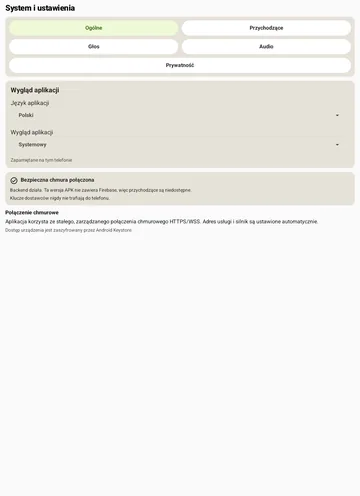
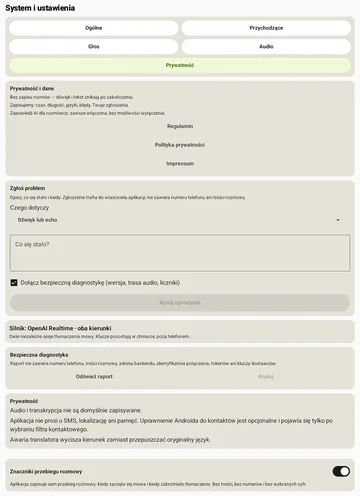
Screen with the general settings of the app
SettingsChoose languages, audio and privacy settings. Settings look different in the newer app version.
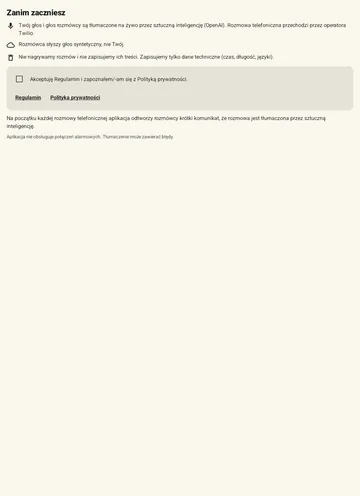
Welcome screen explaining translation by artificial intelligence
Before you startBefore your first call the app states plainly what happens to the audio and what the other person hears.

Privacy and law

We do not record calls. We do not store transcripts. No ads, no tracking.

See what data a conversation needs and who processes it.

Technical data does remain: a device identifier, the time and length of the call, the languages, the app version, errors and download events. The telephony operator (Twilio) keeps its own call log for 13 months — that is how every phone network works. Translation providers keep requests briefly and only to detect abuse; the retention periods are listed in the privacy policy.

  • Audio is translated as a stream and is not stored on our servers.
  • We keep technical data only: device identifier, time and length of the call, languages, estimated cost, app version, errors and download events. The full list is in the privacy policy.
  • The telephony and translation services listed below process call audio. If you enable “My voice”, ElevenLabs receives your own sample submitted with consent, along with the text to be spoken in that voice. The privacy policy explains the details.
  • The app carries no ads and no tracking tools. This page uses no cookies and stores nothing in your browser.
  • Important: tell the other person that the call is being translated automatically and that they hear a synthetic voice.

Invite-only pilot: the access code first, then the APK file.

Coming next

These features do not work yet. We describe them honestly so you know what to expect.

Coming next

Phone menus (IVR)

Palabra will step through a public office's or hotline's voice menu itself and press the right digits when you tell it to.

Coming next

Names and numbers without spelling them out

Instead of spelling things out, you will type a name or a number on the keyboard and the app will pass it on exactly.

Coming next

Speakerphone calls

The phone will recognise its own translation audio and won't try to translate it a second time, so you'll be able to talk without headphones.

Coming next

Full call summary

After the call you will get a short summary: what was agreed, which dates were set and what you have to do next. Today the app only asks whether the matter was settled.

Where this came from

I built this for myself first

I am a Pole living in Germany. Day to day I work in writing — an e-mail in German I can write calmly, but a phone call to a public office, a clinic or a bank was a brick wall for me.

I put such calls off for weeks or asked someone to call on my behalf. Every time it cost me more nerves than the matter itself.

In the end I built the tool I needed myself: I call and speak Polish, and the other side answers an ordinary phone and hears German. Palabra is in a pilot today — I test it on my own errands and hand it to people who have exactly the same problem.

— Dawid, DawidWeb

Frequently asked questions

What does it cost?

Every new “Free start” code includes 100 call minutes for the code's validity period. The app does not show provider prices; DawidWeb manages access and the limit in the panel.

What does the other person see when I call?

In the current pilot, the other person sees the service owner’s verified number, not yours. Calling that number back does not reach your app. Incoming calls in the app are not yet generally available.

Are calls recorded?

No. Audio is processed as a stream and the translated text disappears when the call ends.

Does it work on iPhone?

No. Android 8.0 or newer only, for now.

How do I get pilot access?

Write to kontakt@dawidweb.com. We send back an access code that you enter the first time you start the app. We reply on working days.

How do I update the app?

Before downloading an update, you can read what changed. After installation, the app shows “What’s new”, which you can open again in Settings. You can also check for updates there. You confirm installation on your phone.

Which languages are supported?

Polish, German, English and Ukrainian, in any pair.

Does the other person need the app?

No. They answer an ordinary phone call and install nothing.

How accurate is the translation?

The app translates speech as you talk. Speak in full sentences and spell out names and numbers. Translations can contain mistakes, so confirm important details with the other person.

How much delay is there?

The wait depends on your internet connection, languages and the length of each utterance. Speak in short, complete sentences and wait for the other person’s reply. The delay can change during a conversation.

Does the app speak in a copy of my own voice?

Yes, after setting up “My voice”. Record your own sample on the phone or choose an MP3 file, consent to creating the voice and listen to the result. The selected voice speaks the translation of your words to the other person in Fast mode. We send your sample to ElevenLabs; you can delete the voice in the app.

Does the other person know they are talking through a translator?

By default, the app plays an announcement about automatic translation. You can turn it off in settings after confirming that you will tell the other person yourself. They should know they are hearing a translation and a synthetic voice.

Why does the phone warn me during installation?

The file does not come from Google Play. On Android 8.0 and newer permission is granted per source: Settings → Apps → Special access → Install unknown apps → pick the browser you download with and allow it. Google Play Protect may also show its own warning.

Can I use the speakerphone?

In person, yes — you tap the current speaker, so speech and translation do not overlap. On a speakerphone call the microphone may pick up the translation, so use headphones.

What if an automated menu answers?

Today we translate the menu and you press the keys yourself. Full support for automated phone menus is coming.

Cannot find your question here? Write to kontakt@dawidweb.com — we answer on working days.

Have your next conversation in your own language.

The app is in an invite-only pilot. Download the file and write to us for an access code.

Download for Android

You need an access code from DawidWeb to start the app.

Version 0.12.26 · 43,9 MB · SHA-256 bd2268c44fcc · Android 8+